Blender Add-on · Four Editions

Tri-to-quad
retopology,
done right.

Quadify converts triangulated and n-gon meshes into clean quad topology inside Blender. From a lightweight Base edition to an AI-powered Ultra engine that learns from every operation.

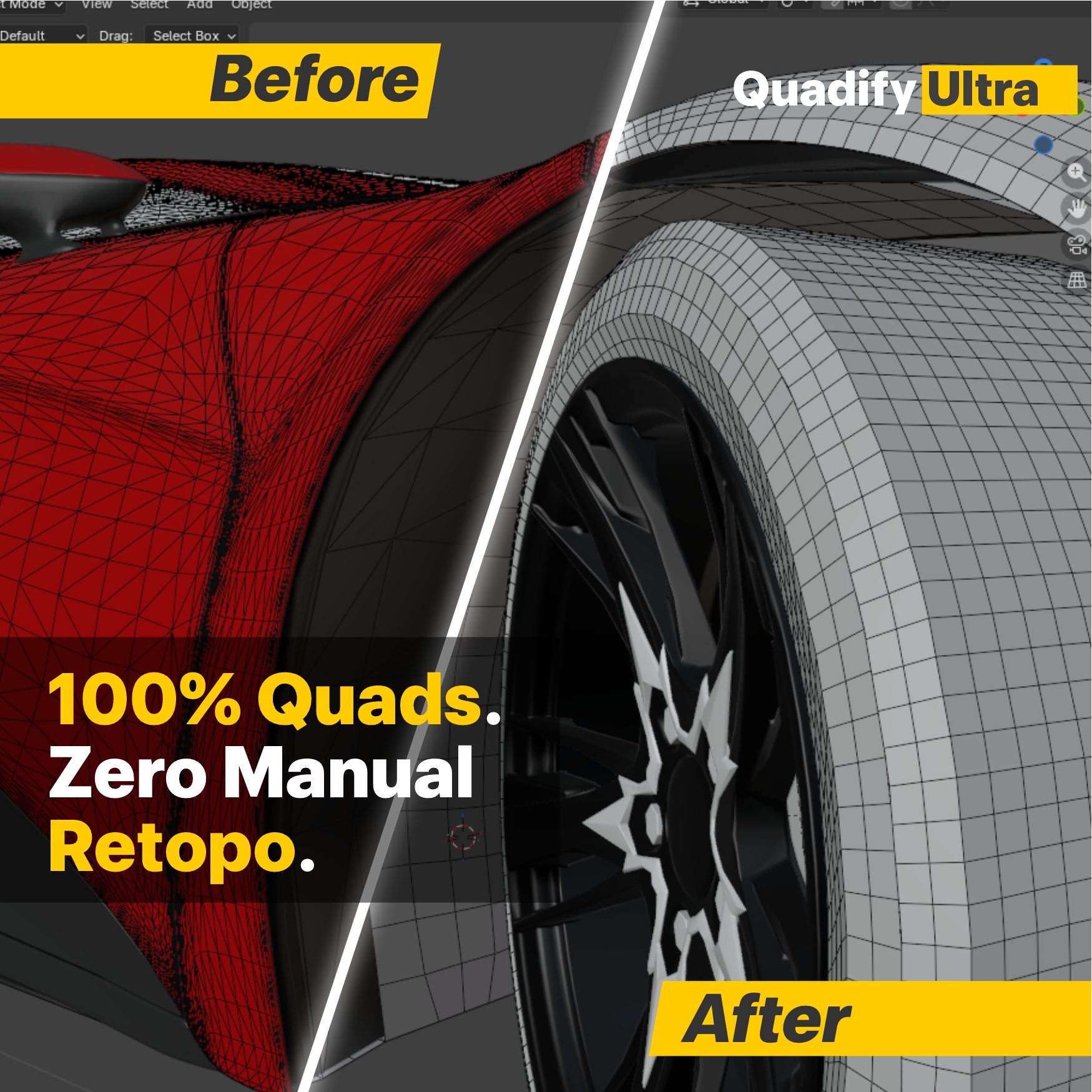
Before and after: messy triangle topology converted to clean quads by Quadify Ultra
Quadify Ultra · Vehicle wheel arch · Blender 5.0 100% QUADS
98%
Quad conversion
on typical meshes
4.4+
Blender version
supported (Base–Pro)
5–8s
Typical processing
on 5k–15k face panels
4
Editions — Base
to Ultra AI

Use Cases

Built for real production workflows

Whether you're cleaning up scan data, optimizing marketplace assets, or processing entire scenes, Quadify has an edition for the job.

🚗
Vehicle & CAD Meshes
Hard edges, boolean results, and CAD imports with n-gons. Quadify Ultra's Hard Edge Preserving and Dissolve algorithms maintain feature edges while cleaning up the surface.
95–100% quads on flat panels · 85–92% on curved surfaces
📷
Photogrammetry & Scan Data
Dense triangle meshes from photogrammetry tools and 3D scanners. Voxel Remesh + Transfer handles broken topology and scan noise while preserving UVs and weights.
90–98% quads · UV transfer preserved
🎮
Game Asset Libraries
Optimize hundreds of props with consistent poly density using Quadify Premium's Density Target — reduce by world-space surface area, not arbitrary ratios. Batch the entire library in one pass.
Consistent texel density across all assets
🏗️
Architecture & World Building
Kit-bashing, environment props, and architectural geometry imported from CAD or other DCC tools. Region-based control lets you protect silhouettes while aggressively reducing interiors.
Protected regions · LOD generation built-in
🤖
AI-Generated Geometry
Meshes from AI tools often have noisy, unstructured topology. Quadify Pro's Auto Cleanup pipeline fixes degenerate geometry, merges by distance, fills holes, and delivers clean quads ready for rigging.
Degenerate cleanup · hole filling · normal repair
🏢
Studio & Enterprise Pipelines
Quadify Pro's CLI, export presets, QA heatmaps, and HTML reports integrate into automated pipelines. Process scenes non-interactively and audit results for every asset.
CLI support · QA reports · batch CSV export

Edition Comparison

Choose the right edition

All editions are sold separately. Each builds on the capabilities of the previous tier.

Feature
Basev1.4.0
Premiumv2.6.0
Prov2.3.4
Ultrav1.1.0
Blender version 4.4+ 4.4+ 4.4+ 5.0+
Tri-to-quad conversion
Poly reduction / decimation
Degenerate geometry cleanup
QuadriFlow remeshing Experimental
Region-based control (Protect / Focus)
Auto-tag regions by geometry
Density Target (world-space reduction)
LOD generation
Analytics & JSON reports
Manual mode (Edit Mode quadify)
UV tools · Texel density · UDIM packing
Pipeline mode · Export presets · CLI
QA heatmaps & HTML reports
AI/ML algorithm routing
QuadWild full remesh
Community ML model
Batch processing

Get Quadify

Available on Superhive

All editions are sold via the Superhive marketplace. Click any edition to go directly to the listing.

Entry
Base
Deterministic tri-to-quad cleanup with clear limits
  • Tri-to-quad conversion
  • Poly reduction
  • Degenerate geometry cleanup
  • QuadriFlow (experimental)
  • Select remaining triangles
Requires Blender 4.4+
Professional
Pro
Manual & pipeline quadification for production meshes
  • Everything in Premium
  • Manual Edit Mode quadify
  • Pipeline mode & CLI
  • UV tools & UDIM packing
  • Texel density normalization
  • QA heatmaps & HTML reports
  • Export presets & guards
Requires Blender 4.4+
AI-Powered
Ultra
Professional AI-powered retopology — one click to clean quads
  • ML algorithm routing
  • 5 retopology algorithms
  • QuadWild full remesh
  • Community ML model
  • Local cleanup in Edit Mode
  • Topology QA heatmap
  • Batch with CSV export
Requires Blender 5.0+